
Cura has supported countless creators who use three dimensional printing for work, hobbies or learning. It offers a reassuring balance of simplicity and control, making it one of the most commonly used slicers in the world. Still, as people explore new types of models, complex materials and faster machines, they begin noticing that another slicer may meet their needs more comfortably.
Some want better support behavior. Some need quicker previews. Some look for advanced calibration tools or deeper customization. Others simply want a slicer that matches the rhythm of their workflow. The goal is to guide you toward an option that feels natural, predictable and inspiring every time you prepare a print
Cura Slicer Alternatives:
If Cura doesn’t fully match your printing style, these alternatives offer smoother workflows, better support handling, faster previews, or deeper control. Here’s a quick look at the top options and what they’re best known for.
| Slicer Name | Strengths |
| Prusa Slicer | Reliable presets with smooth adaptive layers |
| Orca Slicer | Fast slicing and detailed visual previews |
| Super Slicer | Deep customization for precise technical prints |
| Idea Maker | Simple interface and clean removable supports |
| Simplify3D | Professional manual supports and stable workflow |
Top 5 Alternatives to Cura Slicer:
Here are the best 5 Alternatives of Cura Slicer:
1. Prusa Slicer: Reliable And Feature Rich Option
Prusa Slicer earns deep respect because it feels crafted with care and attention. The layout looks simple at first, but the deeper you explore, the more meaningful controls you discover.
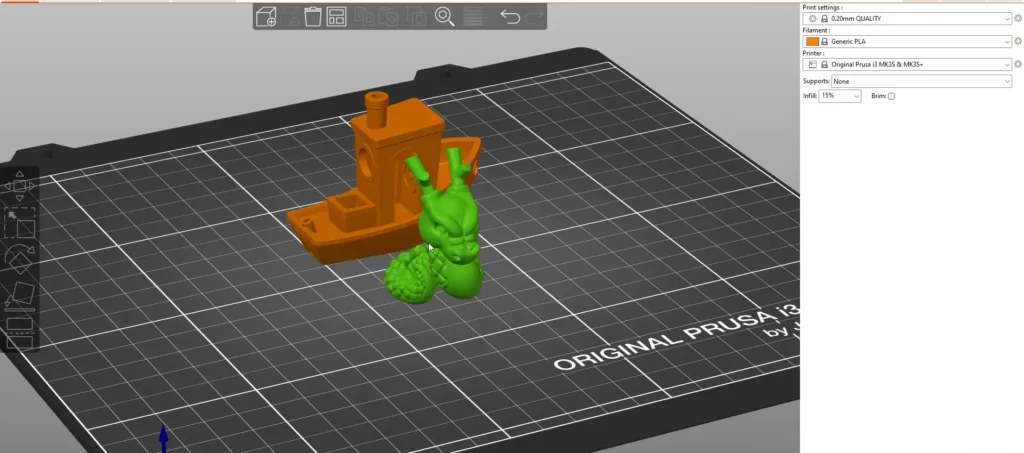
It gives a sense of confidence because the presets are built from years of hands on testing. Its open development and friendly community bring steady improvements, helping it stay relevant for beginners and professionals alike.
Why many people choose it
- Well tuned default profiles for smooth printing without heavy tweaks
- Adaptive layers that reduce print time while improving surface curves
- Strong support generation that removes easily but remains stable
- Balanced interface offering power without confusion
- Users often say that prints come out exactly as expected, which reduces stress during long jobs.
2. Orca Slicer: Guided And Insightful Workflow
Orca Slicer has grown quickly because it offers clarity and confidence. It provides more data during slicing than most alternatives, helping users understand temperature flow, pressure behavior and extrusion stability. People feel supported by the interface because it explains the effect of each change without interrupting the workflow.
Reasons people appreciate it
- Rich visual previews that highlight problem areas instantly
- Excellent for high speed printers and multi color machines
- Detailed guidance that helps reduce calibration mistakes
Modern interface that feels smooth and thoughtfully arranged. Its performance feels fast and consistent, especially when slicing larger models or high speed prints. Creators who enjoy experimenting with profiles often find it extremely satisfying.
3. Super Slicer: Deep Customization And Fine Detail
Super Slicer is favored by people who enjoy diving into the technical heart of their prints. It offers extensive control over flow tuning, support density, infill structures and movement behavior. The slicer is built for users who love analyzing every small detail.
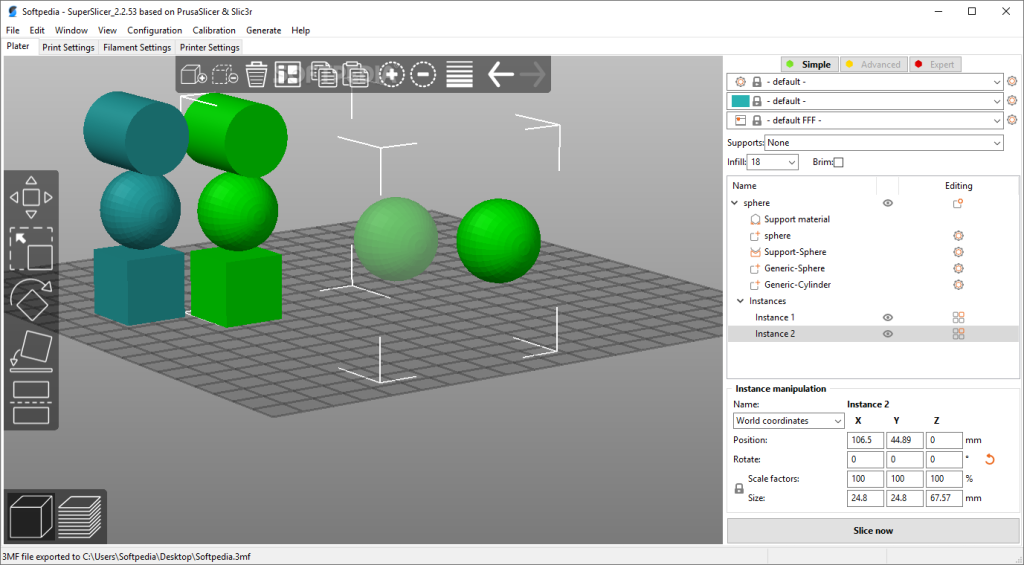
Even though its depth may seem intimidating at first, its results make the learning curve feel rewarding. People choose it when they want to fine tune models where small imperfections matter, such as functional engineering parts or showcase pieces.
Exceptional customization across nearly every printer parameter. Improved handling of small details and fine textures. Smart flow tuning options that reduce inconsistencies. Clear movement previews helpful for diagnosing issues.
4. Idea Maker: A Smooth And User Friendly Experience
Idea Maker has become a dependable companion for many users who want strong results without complexity.
Why does it fit many workflows?
- Clear layout that reduces confusion even for new users
- Support structures that peel away cleanly without harming edges
- Stable slicing engine suitable for daily printing tasks
- Community shared profiles that shorten the learning curve
The interface is clean, calm and comfortable, allowing people to focus on their creative task rather than battling controls. Its default profiles are surprisingly accurate across many printers, making first prints successful without frustration.
Another advantage is its active community, which frequently shares specialized profiles for materials like flexible filaments, high temperature plastics or matte finishes.
5. Simplify 3D: For Complete Professional Level Control
Simplify 3D is a paid slicer, but users who choose it rarely go back. It offers a workshop like environment where every movement, support point and layer behavior can be analyzed and controlled. Professional makers who print large batches or commercial parts often rely on it for reliable and predictable output.
Its manual support placement becomes a favorite feature since it allows strategic positioning for fragile or complex models. What keeps users loyal
- Manual support editing that gives unmatched precision
- Highly optimized motion paths for consistent quality
- The slicer feels precise and mature, making it appealing for long term technical use.
- Strong engine trusted by service providers
- Export tools that integrate neatly with custom workflows
Conclusion:
Cura remains a powerful slicer, but alternatives bring new comfort depending on your style. Prusa Slicer offers balanced precision. Orca Slicer brings data clarity. Super Slicer caters to technical minds. The right slicer is not the one with the most features, but the one that makes you look forward to printing. Exploring these options allows you to match your workflow with the slicer that truly understands your expectations.
Faqs:
Most of them are free except Simplify Three D which requires a one time purchase.
Prusa Slicer feels the most familiar because of its clean layout and balanced controls.
Super Slicer stands out for fine detail control and advanced movement tuning.
Orca Slicer performs exceptionally well with modern fast machines.
Yes most of them support custom profiles which allow compatibility with a wide range of printers.